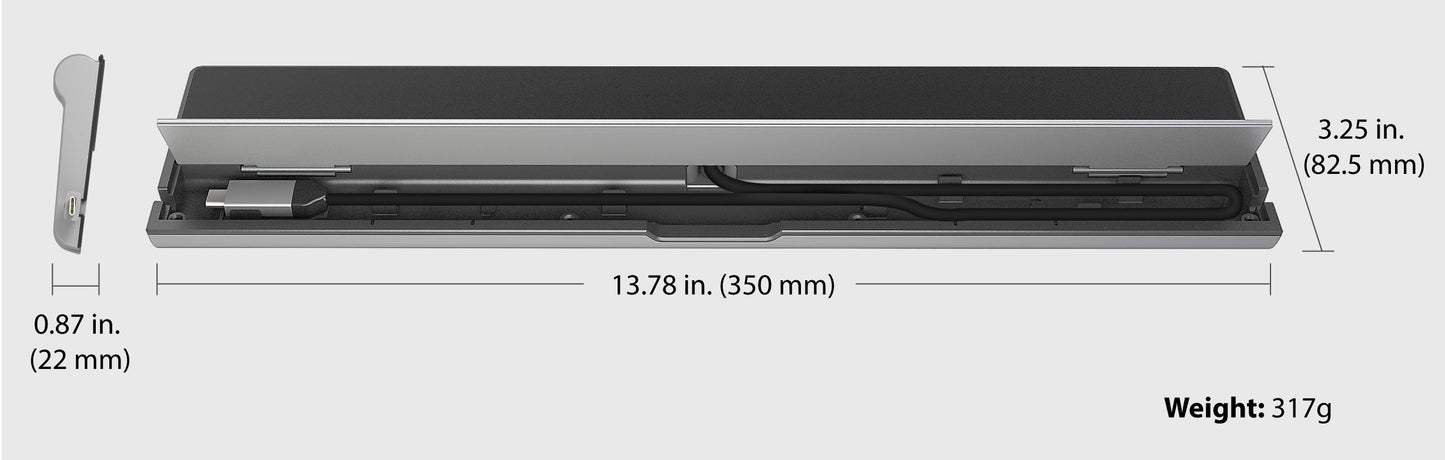
The USB-C™ Triple Monitor Docking Station provides extra connectivity from your computer. Extend up to three monitors throughHDMI™, VGAand DisplayPort™orHDMI™. This docking station is designed to be used as a notebook stand, which assists with heat dissipation. With its flexible USB-C™ cord, it keeps in mind the location of the USB-C™ port on your device, ensuring an easy connection.
These multi-adapters allow you to add an additional USB™ 3.1/SD™/microSD™ computer peripheral, HDMI™/DisplayPort™/VGA monitor and Gigabit Ethernet through your USB™ port. One of the USB™ Type-A ports supports fast charging BC1.2 for a smartphone, tablet or iPad®. The USB-C™ port supports power delivery 3.0, allowing you to keep charging your notebook or smartphone while using the adapter.
FEATURES:
USB-C™ power delivery 100W pass-through
USB-C™ downstream port Gen 1 5G x1;Power delivery adapter in port x1
USB™ Type-A downstream port Gen 1 5G x3
DisplayPort™ Alt mode supported
DisplayPort™/HDMI™ output 4K @ 30 Hz
Dual output through USB™graphic HDMI™with a resolution of 4K @ 30Hz and VGA with the resolution of 1920 x 1080 (download driver here)
RJ45 Gigabit Ethernet
SD™/microSD™ card slots allow for external memory access
Combo audio jack mic/speaker
Cable length 1.5 ft/45 cm
System Requirements:
Available USB-C™DisplayPort™Alt mode
Available USB-C™port (USB™3.0 is recommended)
Available USB™power delivery over USB-C™to support upstream charging
4K capable graphics card
Microsoft®Windows®10 or later
macOS®10.14 or later
Special Notes:
If you are using a high-powered USB™device, attach the USB-C™power adapter to the power delivery port to ensure maximum performance.
To ensure files copy completely, do not remove the USB-C™ power adapter while copying files. For maximum performance, use a computer and USB-C™ power adapter equipped with PD 3.0.
When using a high-power consumption device it is recommended that you use a power adapter for optimal performance. The power adapter for this docking station can be purchased separately (JUP2290) or the docking station and the power adapter can be purchased together
Driver installation is required for macOS® and Windows®. If the computer has network access and administrative rights, Windows® can automatically install the driver when the device is plugged in.